Skype for Business Meetings with Document Camera
Even in today’s electronic world, there times when you want to display a physical document in the boardroom to the remote meeting participants. For example, when you find your team reviewing a physical architecture drawing. One of the easiest and most economical ways is to connect a document camera to the meeting room PC and display the camera content on the desktop and then share either the desktop or the application. The document camera becomes a second camera in addition to the already connected Skype for Business camera.
Additionally, by using Quicklaunch you can easily have a single button to launch document camera sharing while using Skype for Business.
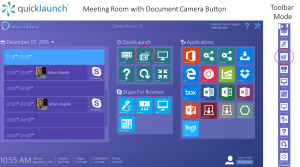
We recently did a demo with the Elmo Visual Presenter Camera and the Image Mate software that it comes with. The Camera plugs in to the PC via USB and is treated separately from the SFB Room Camera.
Quicklaunch has a simple “Document Camera” application Icon that starts Image Mate with the camera and it appears on the desktop share in SFB. Using Image Mate software you can zoom, draw on, save images etc. It becomes quite powerful.
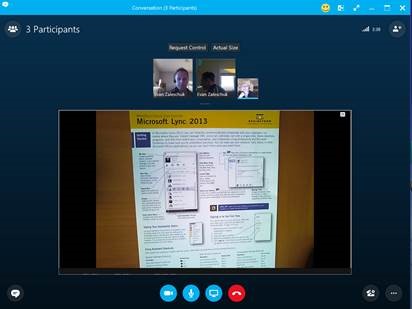
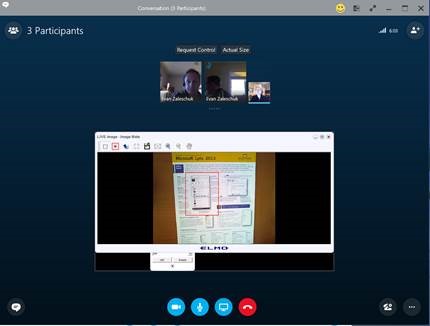
There are other document cameras that also include appropriate software (Epson, Wolfvision etc.). However, for the best experience utilize conjunction with Quicklaunch to provide easy of use and increased productivity.